Tomorrowish · Paperpaw help · Phomemo help
PAPERPAW · FOR POCKET THERMAL PRINTERS
The calm way to print on your Phomemo M02.
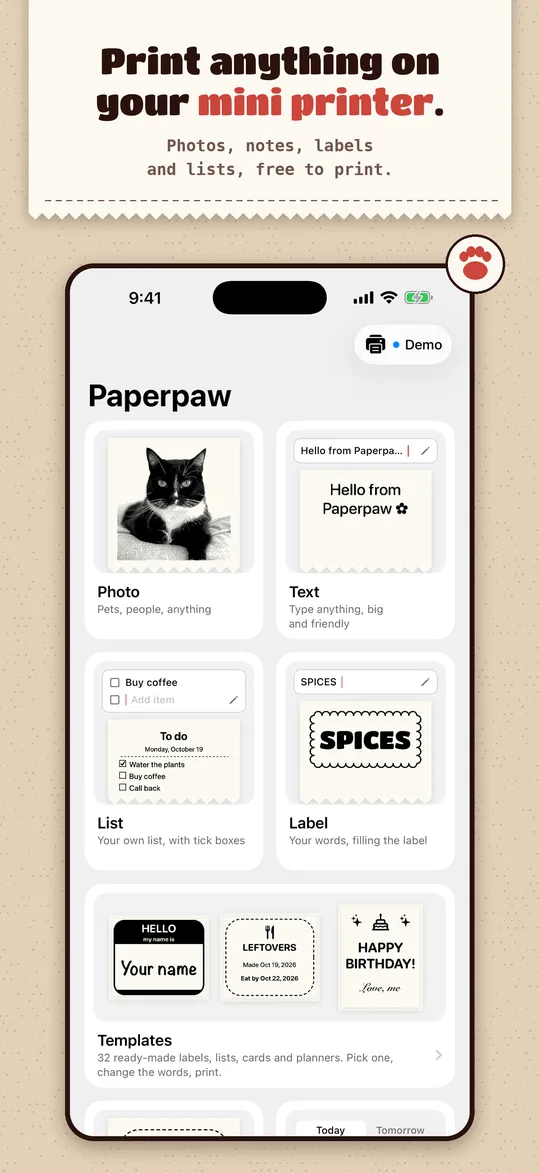
Paperpaw is an independent iPhone and iPad app for Phomemo M02, T02 and M110 printers. No account, no ads, no cloud. Pick what to make, see every dot before it prints, tap Print.
Coming soon to the App Store
Free to print photos, stickers, labels and lists. Pro is a one-time $4.99.
Why people switch
- No account, no sign-in. Open it and print. Nothing to register, nothing uploaded.
- Works offline. Everything is made on your phone and goes straight to the printer over Bluetooth.
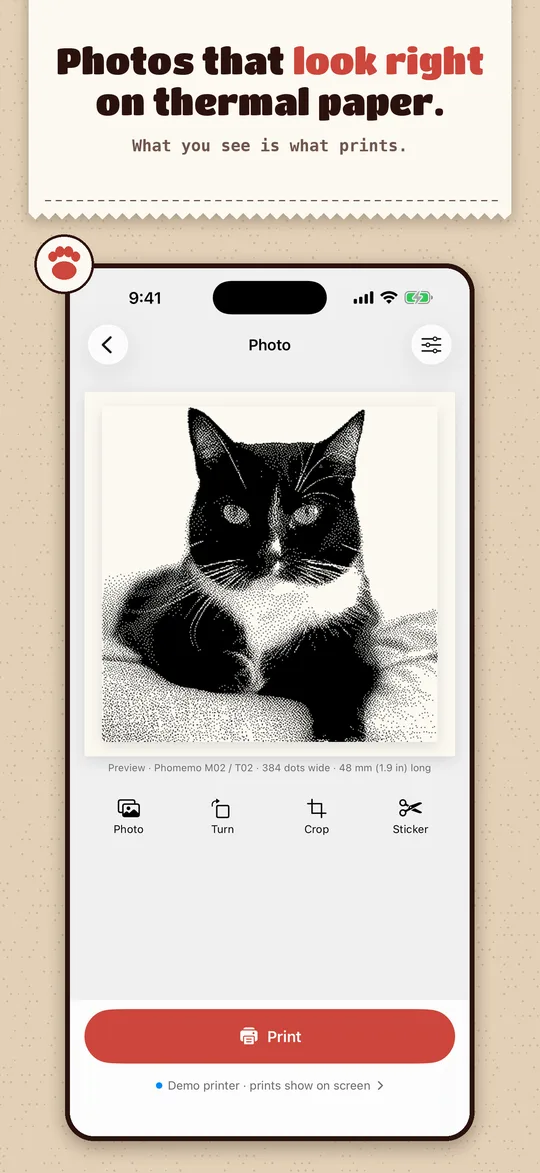
- What you see is what prints. The preview is the exact dots the printer gets, so no wasted paper.
- Finds your printer by itself and remembers it. A short setup guide prints a test page the first time.
- Photos that look right on thermal paper. Dithering tuned for the M02's 203 dpi head, with a darkness test page.
- No ads, no subscription. The free part stays free; Pro is bought once and works with Family Sharing.
What it prints
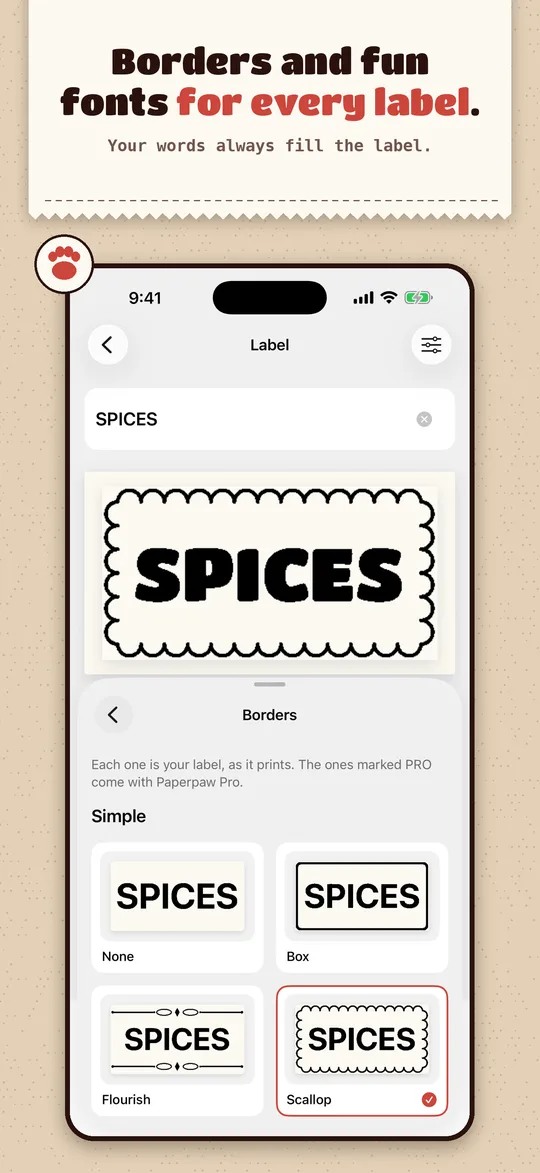
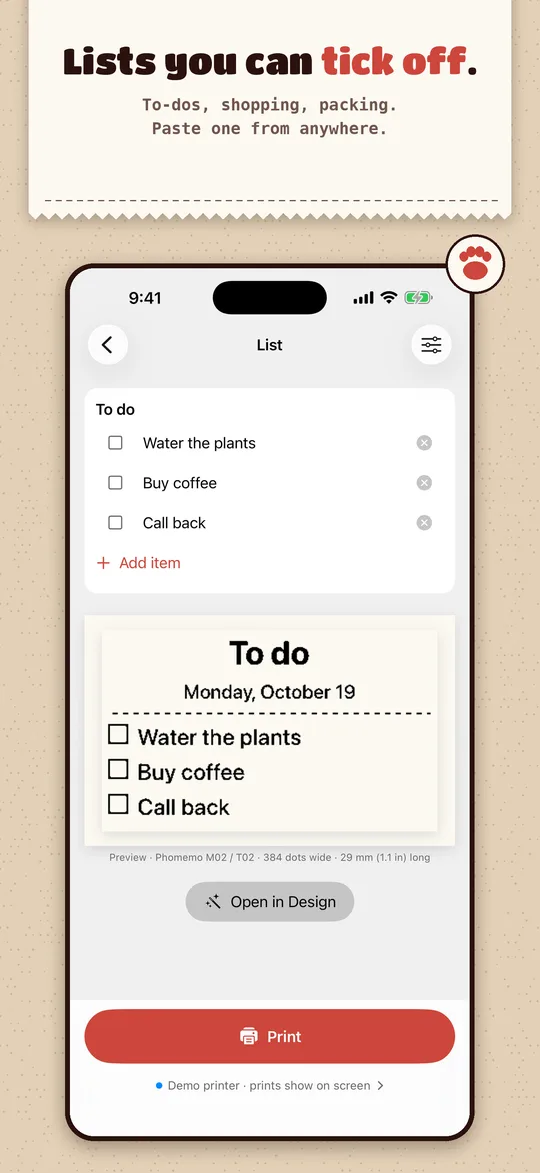
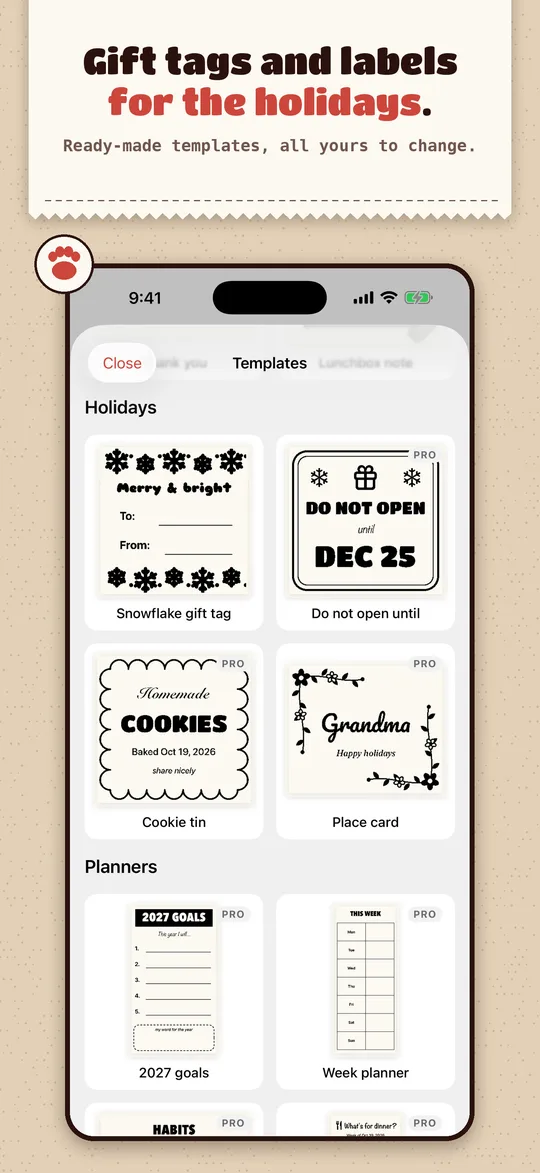
| Free | Photos, stickers (it cuts the subject out with a white outline), notes, labels with borders and fun fonts, checklists with a date, 5 templates, 5 saved designs, your last 10 prints again |
|---|---|
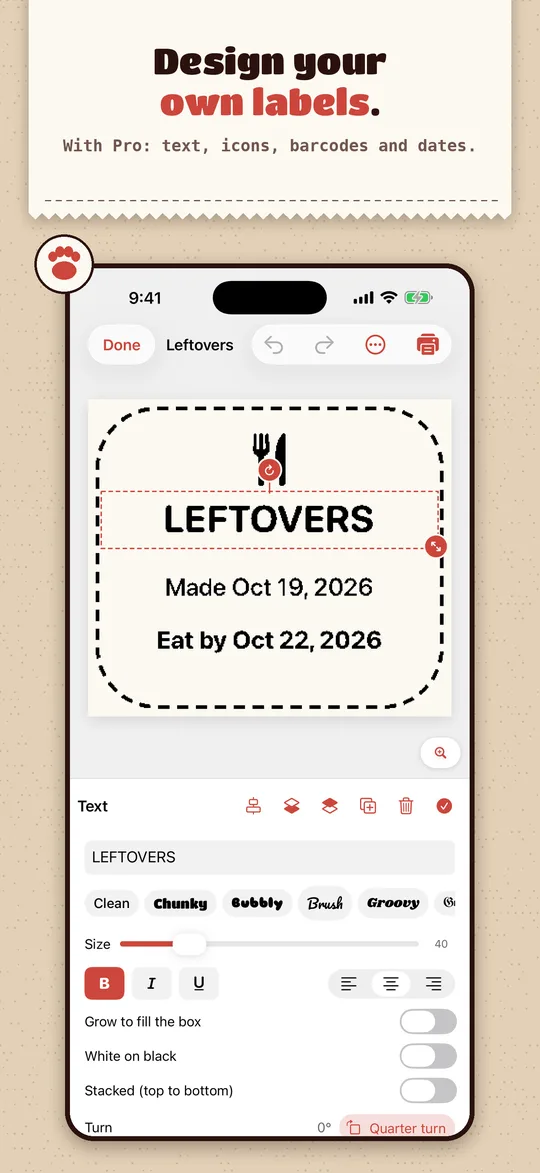
| Pro, once | Banners, QR codes (links and Wi-Fi), PDFs, My day (today's calendar and reminders as a receipt), the full design editor, all 32 templates, every border and font, copies, your whole history |
| Also | Share Sheet, Siri and Shortcuts, dark mode, large text, VoiceOver, English, Spanish and German |
Printers
Works with: Phomemo M02, T02, M02S, M02 Pro, and the M110, M120 and M220 label printers.
Experimental (in the app, not yet tested on real hardware): Phomemo D30 and D35, and GB, MX, YT and MXW01 "cat" printers. If you have one, tell us what came out: hello@tomorrowish.dev.
Need an iPhone or iPad with iOS 17 or later. No printer yet? The built-in demo printer shows every print on screen.
Questions
Does it work with my Phomemo M02?
Yes. The M02 is the printer Paperpaw was built on and is printed with every day.
Do I need an account, or the Phomemo app?
Neither. Paperpaw talks to the printer itself over Bluetooth. You don't pair it in iPhone Settings either; Paperpaw connects on its own.
Is there a subscription?
No. Photos, stickers, text, labels and lists are free to print. Paperpaw Pro is one $4.99 purchase, yours for good, and Family Sharing shares it.
Is it OK for kids?
Paperpaw is rated 4+ on the App Store. There's no web browser inside, no ads and no account.
Can I keep the Phomemo app installed?
Yes. A printer talks to one app at a time, so swipe the other app away before printing from Paperpaw.
My prints come out faint
Print the test page (Printer › Print a test page) and set Darkness to the swatch that looks best. A low battery also prints faint.
Having trouble with a Phomemo printer?
Our Phomemo printer help pages cover connecting to an iPhone, subscription prompts, blank or faded prints, label sizes, blurry QR codes, the red light, PDFs and paper feed, with fixes that work in any app.
Who makes it?
One indie developer at Tomorrowish, who wrote it out of frustration with their own M02. Questions and bug reports go straight to the developer at hello@tomorrowish.dev. More help: Paperpaw support · Privacy.