For Windows 10 and 11
Audiobook Binder
A folder of MP3s becomes one M4B audiobook with every chapter in place, a cover and the right tags. Or fix the chapters of an M4B you already have.
Coming to the Microsoft Store: it is in Microsoft's review now.
- Your files never leave your PC
- No account
- No analytics
- No ads
How it works
Pick a folder, check the chapters, make the book
Your audiobook comes as thirty MP3s. Your player wants one file with chapters. Three steps, and the original files are never touched.
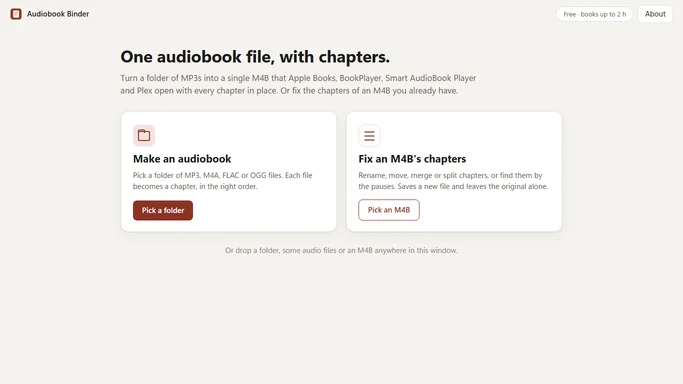
Pick a folder
Or drop it on the window. Every MP3, M4A, FLAC or OGG in it, Disc 1 and Disc 2 included, is put in order: Part 2 before Part 10. Each file becomes a chapter, named from its tags or its file name.
Check the chapters
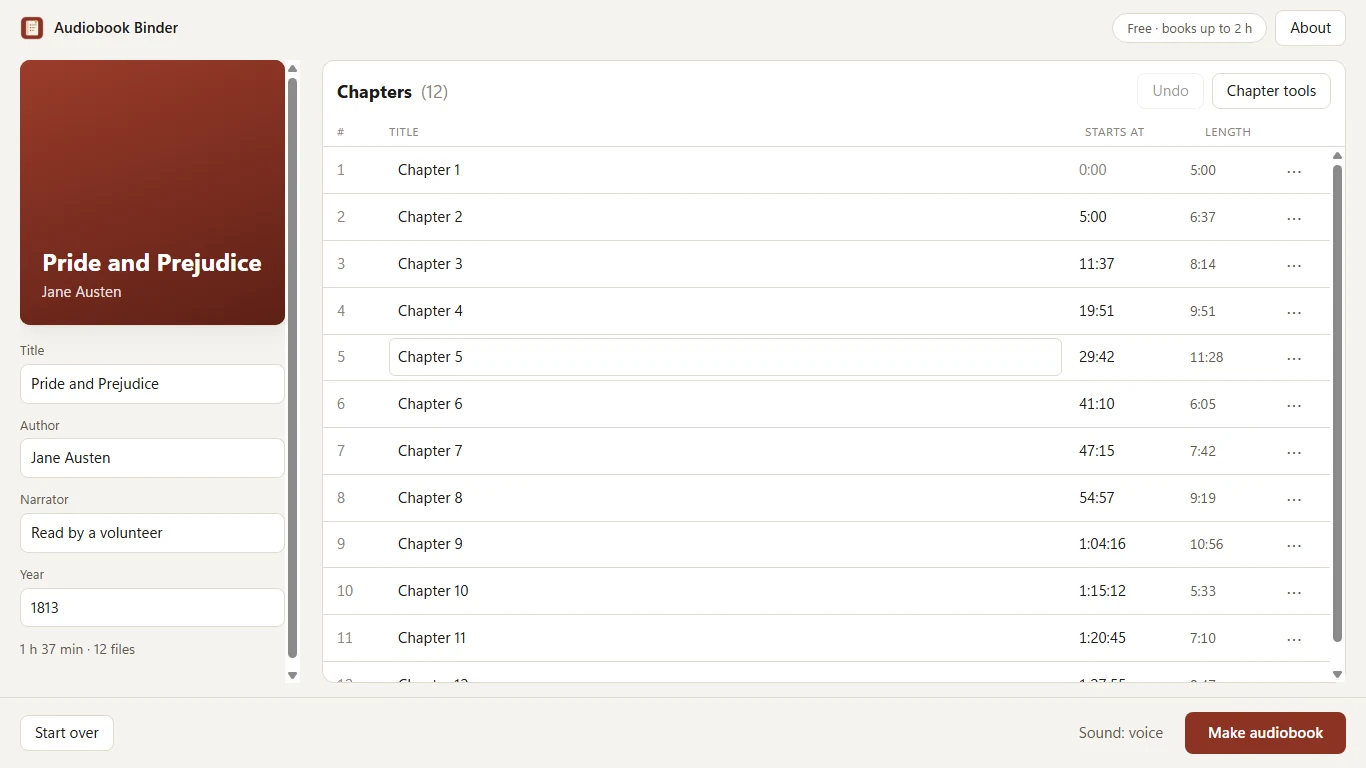
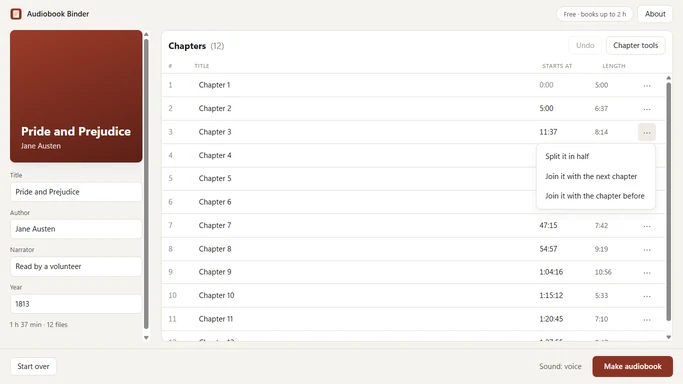
Rename a chapter by typing over it, change where one starts, split one in half or join two. Undo takes back each step. Title, author, narrator, year and cover are filled in from the files.
Make the audiobook
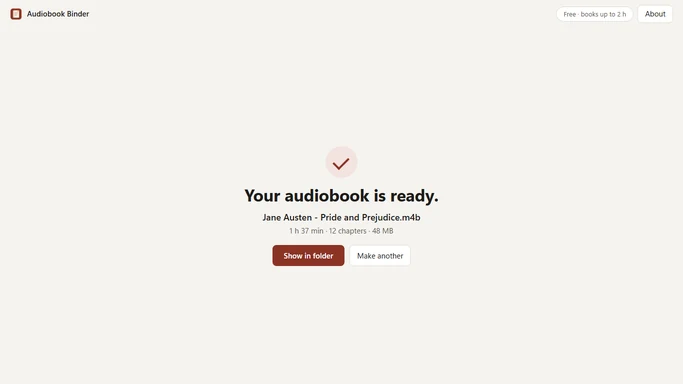
One .m4b file, chapters, cover and tags in place, read back and checked before it is kept. Apple Books, BookPlayer, Smart AudioBook Player, Plex and Audiobookshelf show its chapters.
The fiddly parts, done
Everything that usually goes wrong with M4B
The right order
Part 2 before Part 10, Disc 1 before Disc 2. When file names and track numbers disagree, switch between them.
Fix an M4B's chapters
Rename, move, merge or split the chapters of a finished book. Saved as a new file in seconds, the sound copied untouched.
Chapters from the pauses
One long recording with no chapters? It listens for the quiet stretches between them and shows how many it found before you use them.
CUE sheets
A .cue file next to a long recording is read by itself, chapter titles and times included.
Cover and tags
The folder's cover picture, or the one inside the files. Title, author, narrator and year, tagged as an audiobook.
Undo, and Stop
Undo every edit. Stop a job halfway and no half-made file is left behind.
Checked before it is kept
Every book is read back: chapter count, start times and length. One that came out wrong is not saved.
Mixed files welcome
MP3, M4A, FLAC, OGG, Opus, WAV and more, different sample rates in one book, 300 files in one go.
Light and dark
Follows Windows. Voice, Standard or High sound: small files for speech, more for books with music.
A closer look
Real captures of the app
Made with public-domain titles and test tones, never a real audiobook.
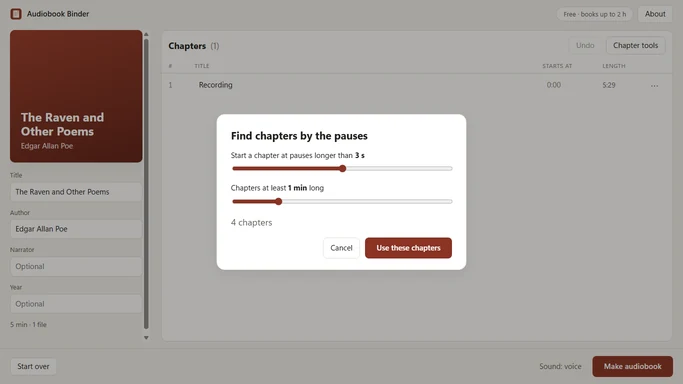
Find chapters by the pauses: pick how long a pause must be and how short a chapter may be; it shows the count first. 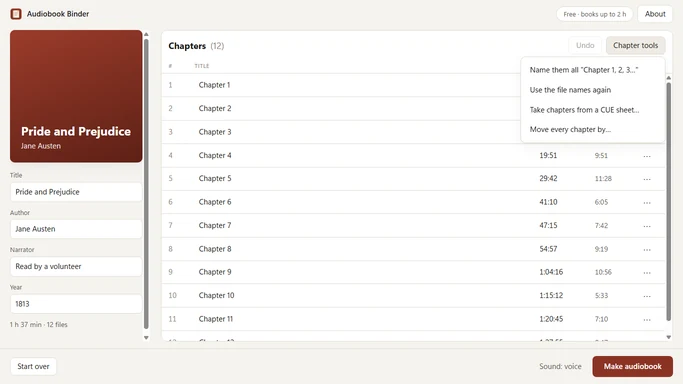
Chapter tools: renumber, back to the file names, a CUE sheet, or shift every chapter (one long recording also gets the pauses) a few seconds. 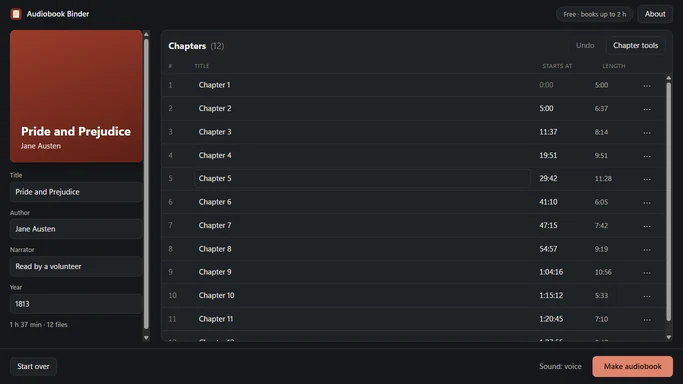
Dark mode, following Windows.
Privacy
Your books stay on your PC
- Files never uploaded
- No account, no server of ours
- No ads, no analytics
Audiobook Binder reads and writes your files on your PC and nowhere else. It never opens copy-protected (DRM) audiobooks such as Audible's .aax files: it recognises them and says so. The full privacy page.
Questions
Common questions
What is free, and what does Pro add?
The free version has every feature and makes or fixes books up to 2 hours long, for as long as you like. Audiobook Binder Pro, $24.99 once through the Microsoft Store, makes and fixes books of any length. It is offered inside the app when a book is longer than 2 hours.
Does it change my original files?
Never. It makes a new .m4b where you choose, and a fixed M4B is saved as a new copy next to the original.
Can it open my Audible books?
No. Audiobook Binder never opens copy-protected (DRM) files such as .aax, .aa or .aaxc. Use the app the shop provides for those.
Which quality should I pick?
Voice (64 kbps mono) is right for almost every audiobook and keeps files small. Standard is 96 kbps stereo; High is 128 kbps stereo, for books with music.
My chapters are a few seconds off
Chapter tools › Move every chapter by… shifts every start earlier or later in one go, or type a new start time on any chapter.
More in Audiobook Binder help, or write to hello@tomorrowish.dev.
Uses FFmpeg (LGPL 2.1), shipped as separate programs; the licence and source links are in the app's About. Not affiliated with Apple, Audible, BookPlayer, Smart AudioBook Player, Plex or Audiobookshelf. Built by Tomorrowish with AI-assisted coding.
One file, every chapter
For Windows 10 and 11. Free for books up to 2 hours.
On its way to the Microsoft Store.